

Power Path supports BCF (BIM Collaboration Format), letting power line design teams share issue reports, comments, and screenshots directly between different BIM software platforms – without exchanging the entire IFC model. Here’s what BCF is and how to use it in Power Path.”
The BIM Collaboration Format (BCF) is a format for issue tracking of the building information models. This format provides easier communication with different disciplines or team members who can use different software solutions in designing BIM projects.
A format is standardized by buildingSMART as an open file format for the exchange of images (screenshots), and textual data like comments and coordinates.
BCF is the most used in the designing phase of BIM projects. It allows sharing of information for required changes or errors in the BIM model without sending back an IFC record. This format helps designers to have a defined format if they want to communicate changes or issues of the BIM models.
If the user wants to import .bcf or .bcfzip he needs to open panel BIM BCF (steps for opening panel BIM BCF: right-click on the solution interface find Panels then BIM BCF).
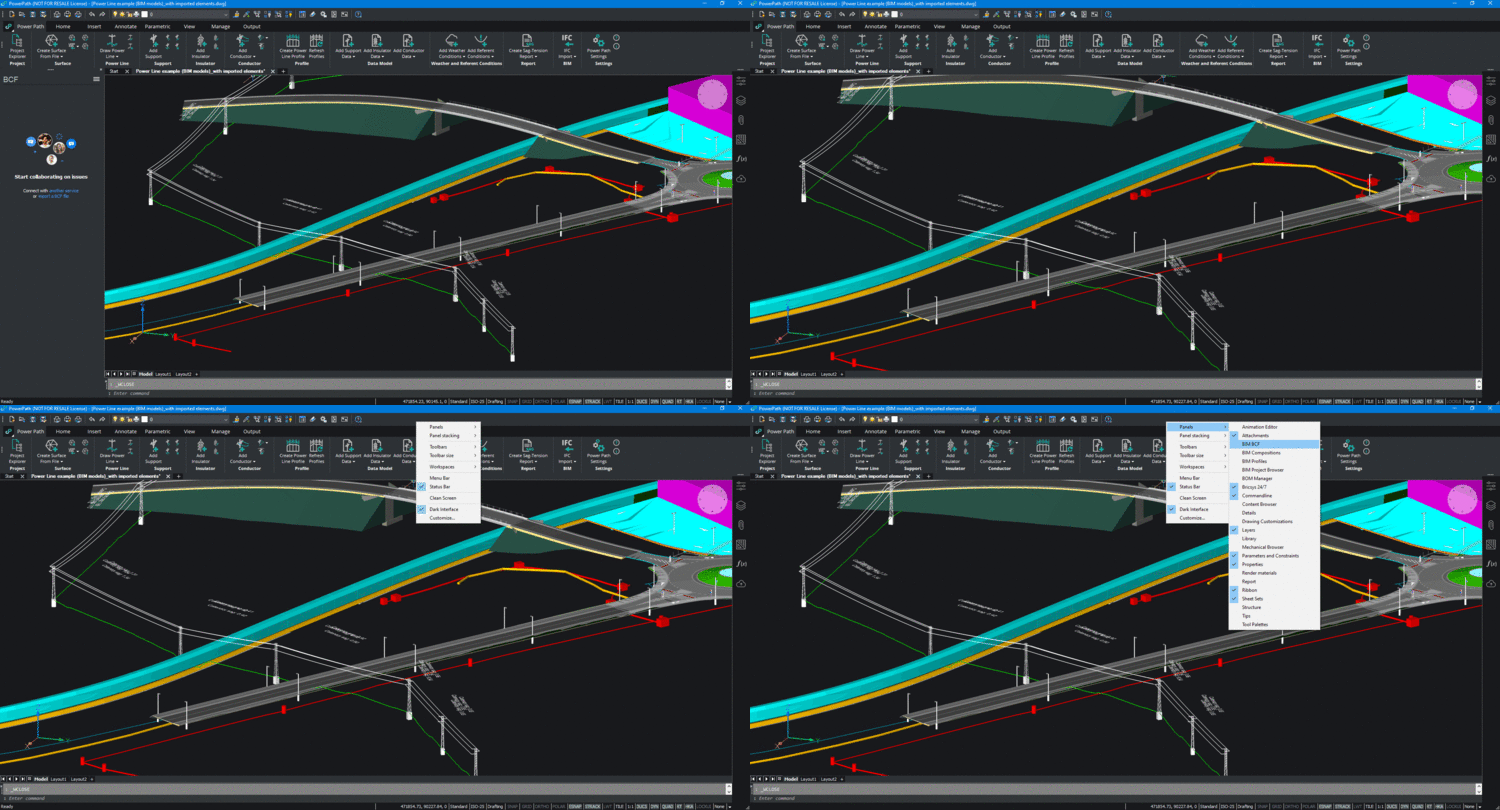
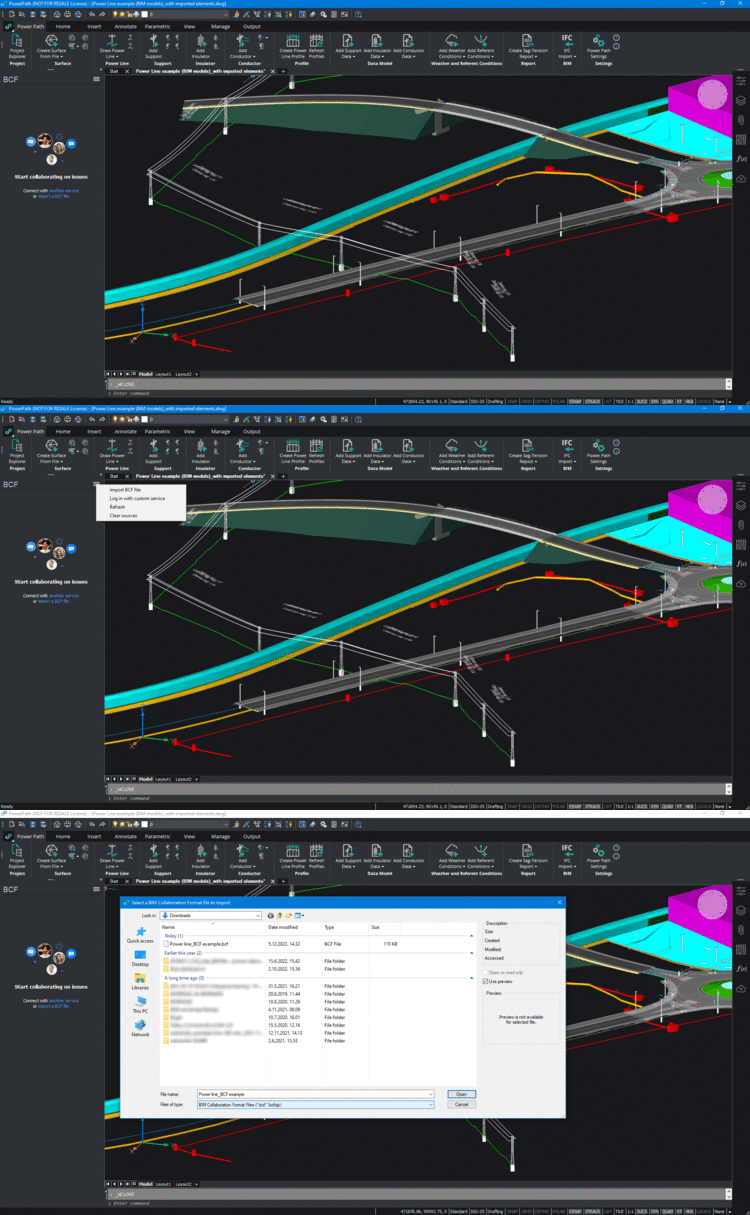
In this panel, user will have options for:
– importing .bcf files from computer (local machine or server) or
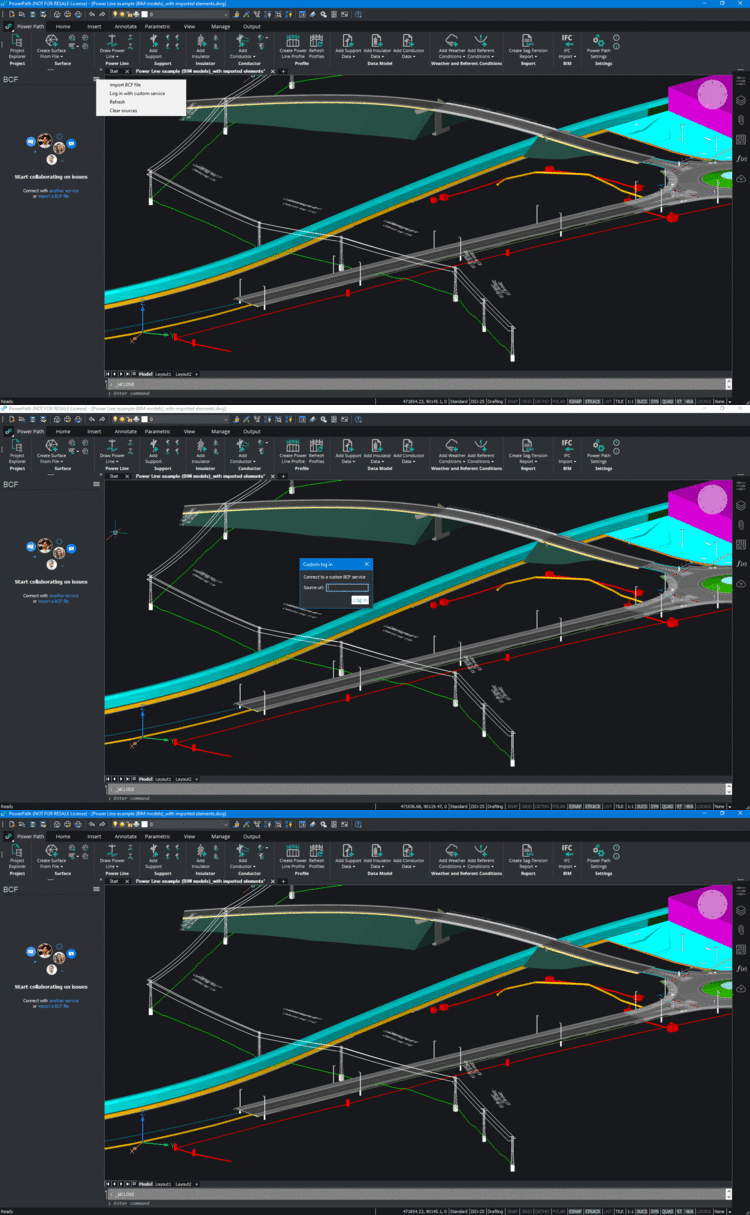
– connecting to custom service because .bcf files can be managed on the cloud with different management systems which is for example one centralized location.
BIM BCF command is available in Power Path BIM package. If you want to try, how you can manage .bcf files in Power Path, try 30 days free trial of Power Path.